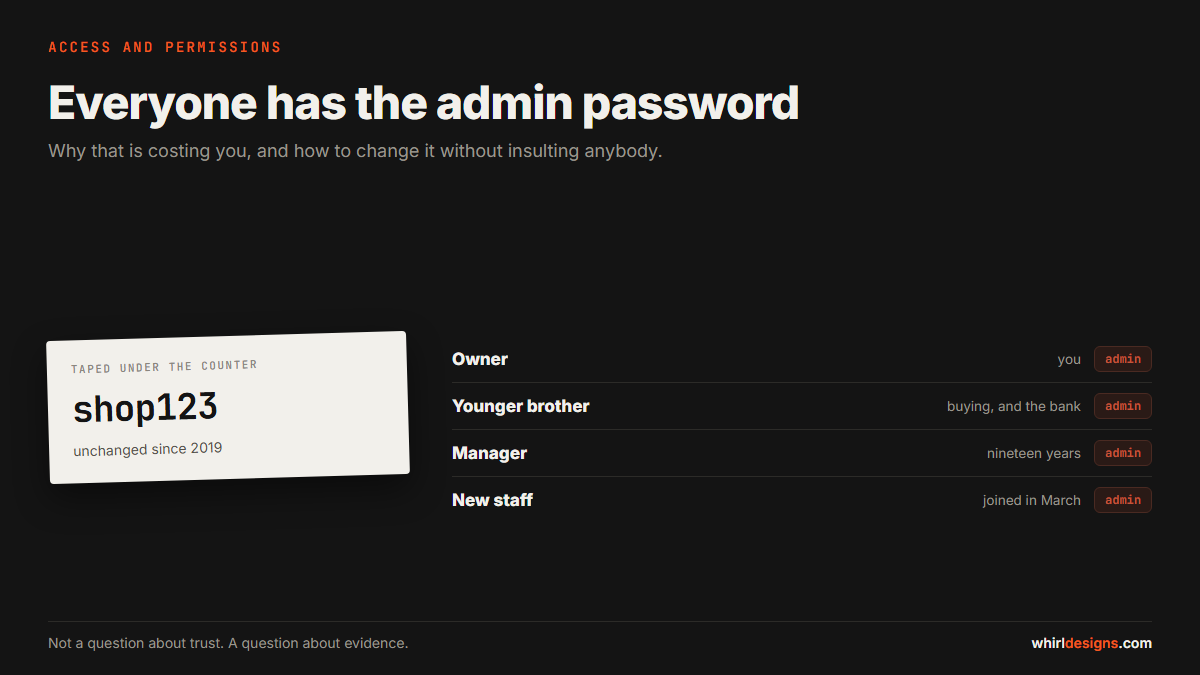
Ask a shop owner in Udupi who has the password to the billing software and you will usually get the same answer, delivered with a shrug. Everybody. It is written on a slip taped under the counter, or it is the shop name followed by 123, and it has not changed since the software was installed in 2019.
There are four people using it. The owner, his younger brother, a manager who has been there nineteen years, and a boy who joined in March. They all log in as admin, because there is only one login, because nobody ever asked for another one.
This article is about why that matters, and about how to change it without turning an ordinary Tuesday into an insult to people you have worked with for two decades. Because that is the real obstacle here. It is not technical. It is that the whole subject feels like an accusation, and nobody wants to be the one who raises it.
This is not a question about trust
Let us deal with the awkward part first, because it stops most owners before they start.
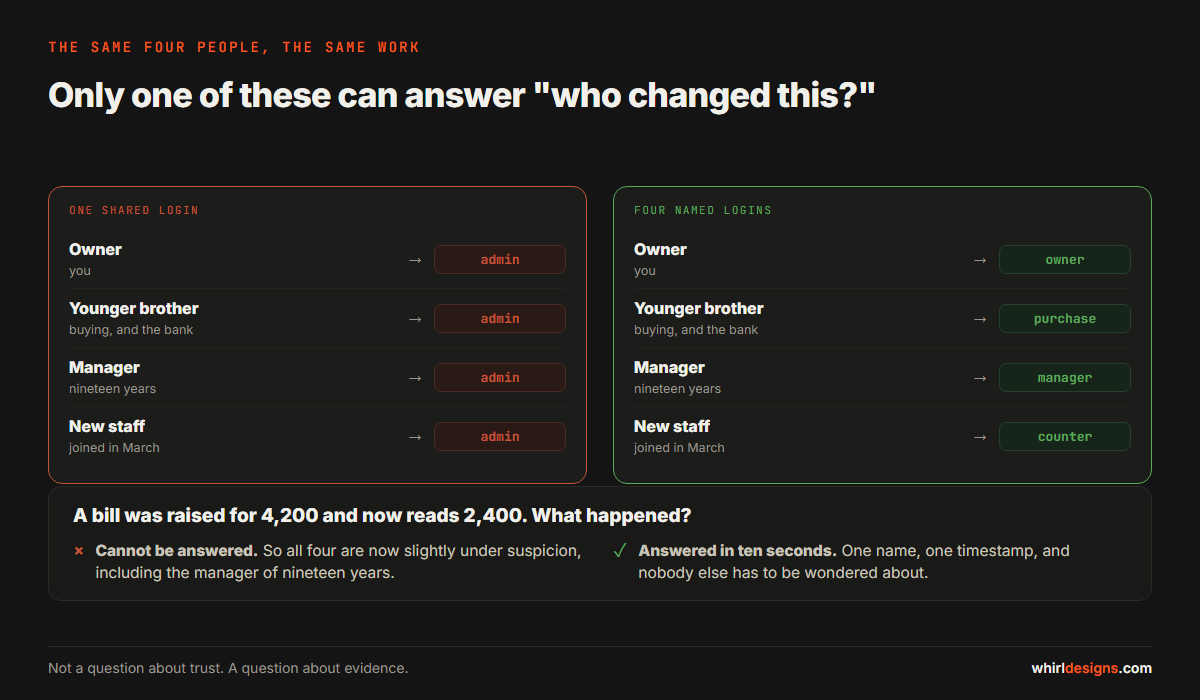
Separating access is not a statement that you suspect somebody. If it were, you would have to suspect your brother, and you do not. The reason to do it has almost nothing to do with dishonesty, and here is the clearest way to see that.
Imagine a bill that was raised for 4,200 rupees and now reads 2,400. Something happened. It might be a genuine correction after a customer complained. It might be a typing slip. It might be somebody doing a favour for a friend.
With one shared login, you cannot tell which. And because you cannot tell, every one of those four people is now slightly under suspicion, including the manager of nineteen years, and including your brother. The absence of a record does not protect people. It exposes all of them equally.
That is the argument, and it is worth making to your staff in exactly those words, because it happens to be true. A record of who did what protects the honest majority. It only troubles the one person who would rather not be recorded.
What a single shared login actually costs you
You cannot separate a mistake from a decision
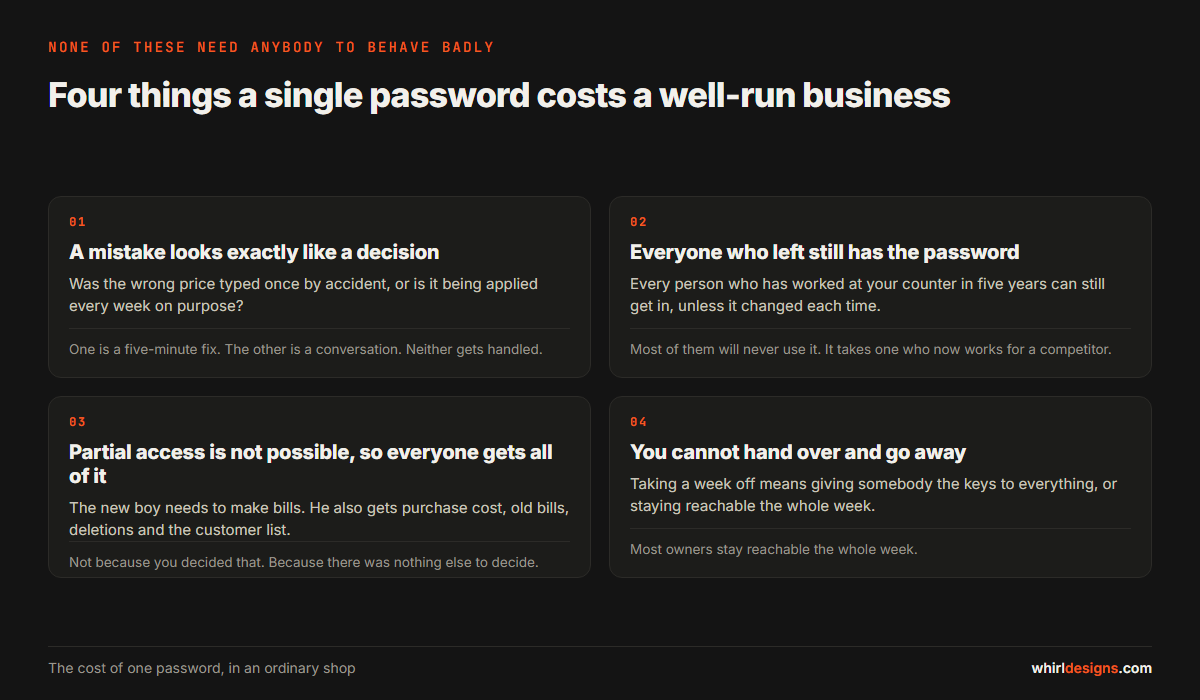
This is the expensive one and it is invisible. When a price is wrong, you want to know whether the wrong price was entered once by accident or is being applied deliberately every week. One is a five-minute fix. The other is a conversation. Without names on entries you cannot tell them apart, so neither gets handled.
The people who left still have the password
Think about everyone who has worked at your counter in the last five years. Unless the password changed when each of them left, and it almost never does, they can all still get in. Most of them have no interest in doing so. It only takes one who is now working for a competitor and would quite like your customer list.
You cannot give partial access, so everybody gets all of it
The new boy needs to make bills. He does not need to see what you paid your supplier. But the software offers one door, so making bills means seeing purchase cost, editing old bills, deleting entries and exporting the customer list. Not because you decided he should. Because there was no way to decide anything else.
You cannot hand over safely
When you want a week away, you either give somebody the keys to everything or you stay reachable all week. Most owners stay reachable all week.
The day somebody leaves
This is where a shared login does its quietest damage, because nothing visibly breaks and so nothing gets done.
When a staff member resigns, there is a short list that should happen on their last day, in the same way you would take back a shop key. With named logins it takes two minutes. With one shared password it means changing that password and telling the other three people the new one, which is why it almost never happens.
- Disable the login, do not delete it. Their past entries must stay exactly where they are, with their name on them.
- Check what they could export. If they had access to the customer list, assume a copy exists. That is not an accusation, it is just prudent.
- Move anything addressed to them. Supplier contacts, a WhatsApp number customers use, an email alias.
- Write the date down. If a figure looks odd in six months, knowing exactly when each person's access ended turns a guess into a fact.
None of this is hostile. It is the same instinct that makes you collect the keys, applied to a door nobody thinks of as a door.
The two numbers that cause the most trouble
In small retail and wholesale businesses, two pieces of information cause more difficulty than everything else combined.
Purchase cost. Once a counter staff member knows what you pay, they know your margin on every line. That knowledge walks out of the door with them, into a competitor, or occasionally into a new shop of their own two streets away. Almost nobody at the counter needs this number to do their job.
Discount authority. Every business has an unwritten rule about how much can be knocked off, and who can approve more. The rule lives in the owner's head. It is not in the software, so it is not applied consistently, and the staff member who gives a bigger discount is usually the one who is worst at saying no, not the one with the best judgement.
Putting a limit into the software changes that conversation completely. The staff member is no longer refusing the customer. The system is. That is a genuine kindness to the person at the counter, and it is the reason this change is often welcomed rather than resented.
What to actually separate
You do not need twenty roles. Most businesses this size need three or four. The question is not how many, it is which decisions sit at which level.
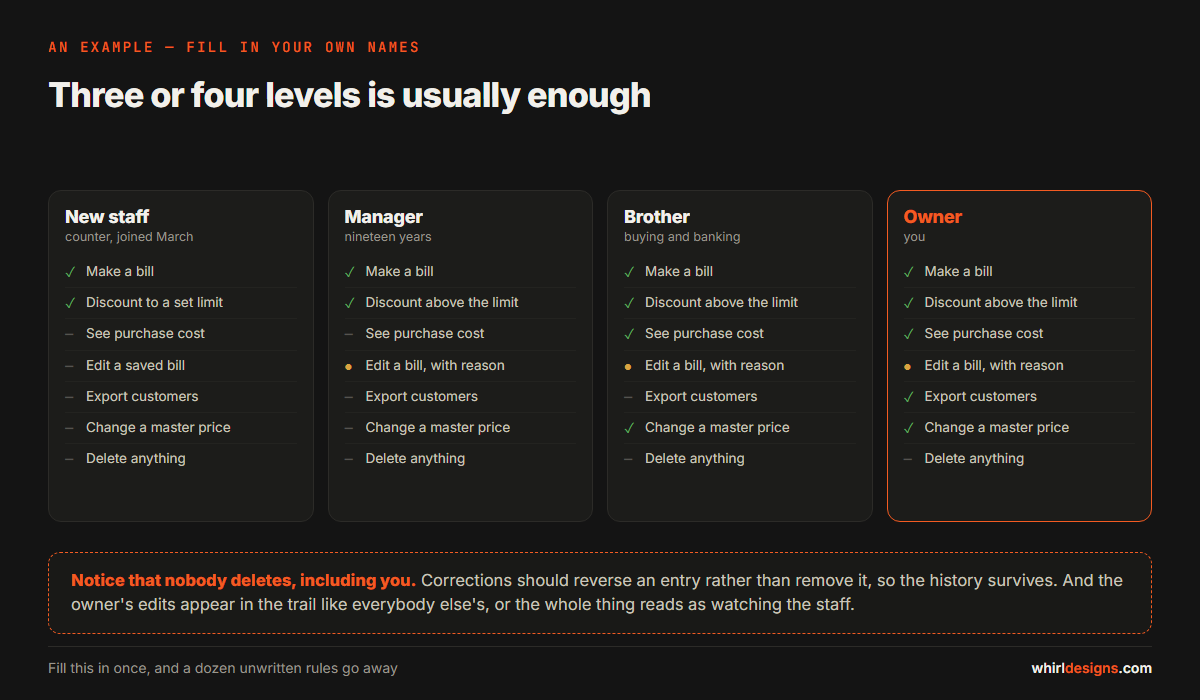
Work through this list and decide who, by name, should be able to do each thing:
- See purchase cost and margin. Usually the owner and whoever does the buying. Rarely anybody else.
- Edit a bill after it is saved. This should be a short list, and every edit should leave a record.
- Give a discount above a set figure. Below the line, anybody. Above it, an approval.
- Delete anything at all. Ideally nobody. Corrections should reverse an entry rather than remove it, so that the history survives.
- Export the customer list. This is your business asset, and exporting it is the single easiest way for it to leave.
- Change a selling price in the master. Different from a one-off discount, and much more serious.
- See figures across all branches. A branch manager usually needs their own branch, not everyone else's.
- Add or remove a user. The owner, and one other person so you are not locked out.
Notice that the last one matters. Businesses that take this seriously sometimes end up with a single account that only the owner has, and no way back in when the owner is in hospital. Two people should always be able to open the door.
The audit trail, and what it is for
An audit trail is a list the software keeps by itself. Every meaningful action gets a line: what was done, to which record, by whom, and when. It cannot be edited from inside the software, which is the entire point of it.
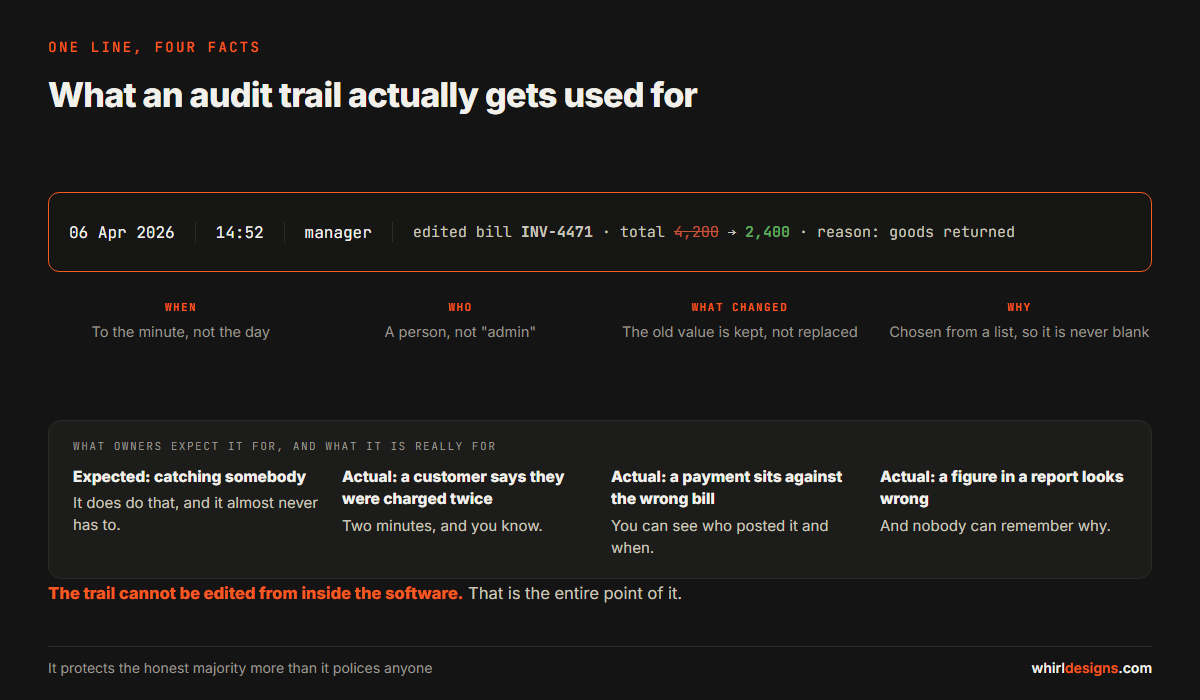
Most owners expect to use it to catch somebody. In practice it gets used for something far more ordinary: finding out what happened. A customer insists they were charged twice. A supplier says a payment was recorded against the wrong bill. A figure in a report looks wrong and nobody can remember why.
These things happen weekly in a busy business, and without a trail each one burns an afternoon and ends in a guess. With one, it takes two minutes and ends in a fact.
How to introduce it without a row
The change itself is small. The handling of it is what decides whether it goes well.
Do it in two stages, not one. First give everybody their own login, and change nothing else. Nobody loses any ability they had yesterday. All that happens is that actions now carry names. Let that settle for a few weeks. Then, separately, start tightening what each role can reach.
Say the real reason out loud. "So that when something goes wrong we can find it and fix it, instead of everybody being under a cloud." That is honest, it is the actual reason, and staff recognise it as fair.
Take the same treatment yourself. The owner gets a named login too, and the owner's edits appear in the trail like everybody else's. An owner who exempts himself has announced that this is about watching the staff, and the goodwill goes immediately.
Use a natural moment. New software, a new branch, a new financial year, a new person joining. Changing the rules on a quiet Tuesday for no stated reason invites the question of who prompted it.
What to ask whoever supplies your software
If you are reviewing your current system or being quoted for a new one, these five questions will tell you more than any feature list:
- Can each person have their own login, and is there any limit on how many?
- Can I hide purchase cost from a counter user while letting them bill normally?
- Is there a discount limit per role, with approval above it?
- Is there an audit trail, can I see it myself without calling you, and can it be edited?
- When somebody leaves, can I disable their login and keep their history intact?
That last point catches people out. Some systems delete a user's past entries along with the user, which quietly rewrites your history every time somebody resigns. The right behaviour is to switch the login off and leave every record they made exactly where it is.
Plenty of packages sold to small businesses in this district answer no to three or four of these. That is usually the moment to look at a proper ERP build or a custom system, rather than working around a limit for another five years.
The thing worth remembering
None of this is about assuming the worst of people. It is about building a business that can survive an ordinary mistake, an ordinary resignation and an ordinary week away, without any of it depending on one person's memory of who did what.
If you want someone to look at what your current system can and cannot separate, we do that for businesses around Udupi, Mangaluru and the towns between, and we will say plainly when the honest answer is that your existing setup is fine. You can get in touch here.