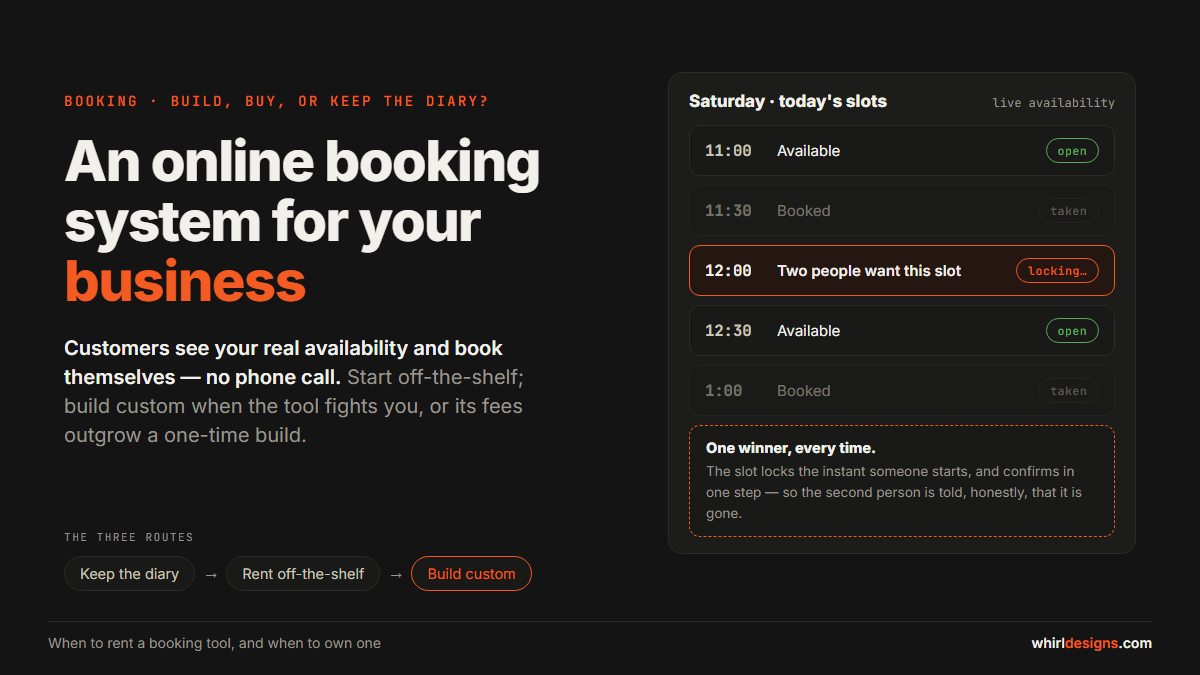
An online booking system lets your customers see your real availability and book themselves — any time of day, with no phone call — and, built right, it makes a double-booking impossible. That is the whole promise.
The harder question is how you get there, and for most small businesses the honest path is this: start with an off-the-shelf tool, and move to a custom build only when the tool starts fighting the way you actually work, or when its per-booking fees grow past what a one-time build would have cost. The rest of this post is how to tell which stage you are at.
We build booking into software for clinics, salons, tuition centres, tour operators and equipment rental businesses, and the first conversation is always the same. The owner does not want "a booking system". They want to stop losing the customer who tried to book at 9pm and got no answer, and to end the Saturday where two families were promised the same slot. Keep those two in front of you and most decisions get simpler.
The diary is not wrong — for twenty bookings a week it is a fine system. This post is for the point just after, when the phone stops getting answered in time and "let me check and call you back" costs you the booking.
What an online booking system actually does
Strip away the branding and every online booking system is doing six jobs. If a tool is missing one of these, it is not cheaper — it is incomplete.
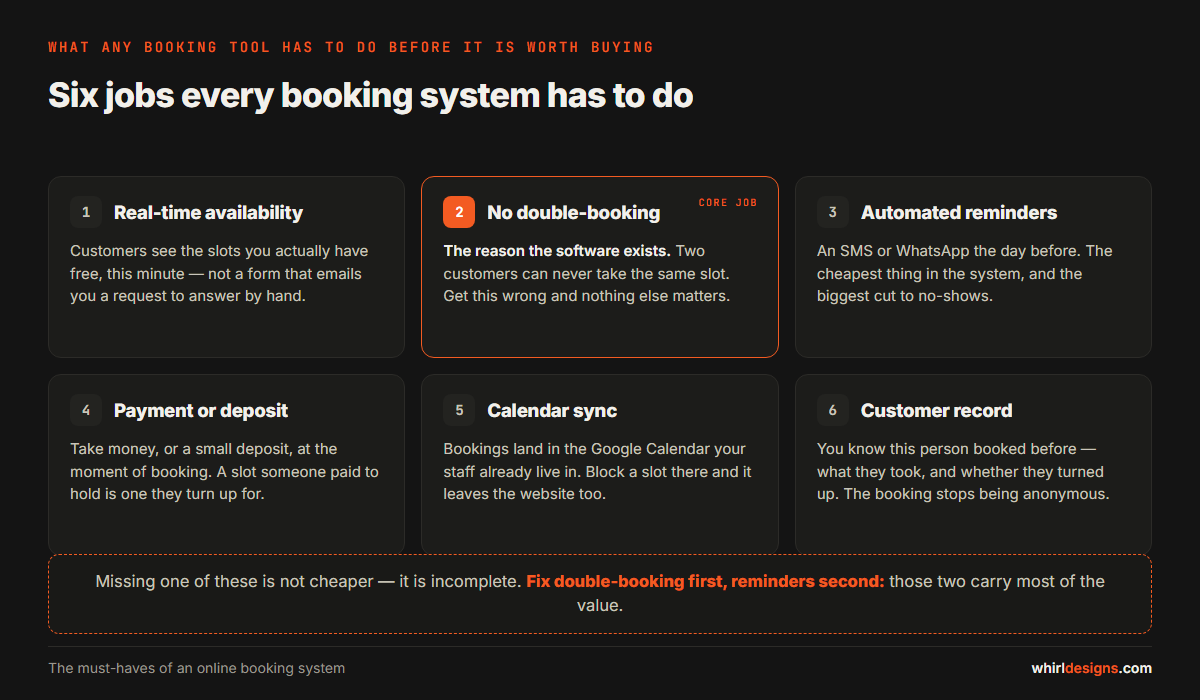
- Real-time availability. The customer sees the slots you actually have free, this minute — not a form that emails you a request to answer by hand.
- Double-booking prevention. This is the core job, and the reason the software exists. Two customers must never be able to take the same slot. Everything else is convenience; this has to be right.
- Automated reminders. An SMS or WhatsApp the day before. It is the cheapest thing in the system and does the most, because a no-show is a slot you can never sell again.
- Online payment or a deposit. Taking money, or even a small deposit, at the moment of booking — a slot someone paid ₹200 to hold is one they turn up for.
- Calendar sync. The booking appears in the Google Calendar your staff already live in, and a slot you block there disappears from the website — one place to look, not two.
- A customer record. You know this person booked before — what they took and whether they turned up. The booking stops being anonymous.
The order matters: fix double-booking first, reminders second. Those two carry most of the value.
Three routes: the diary, an off-the-shelf tool, or a custom build
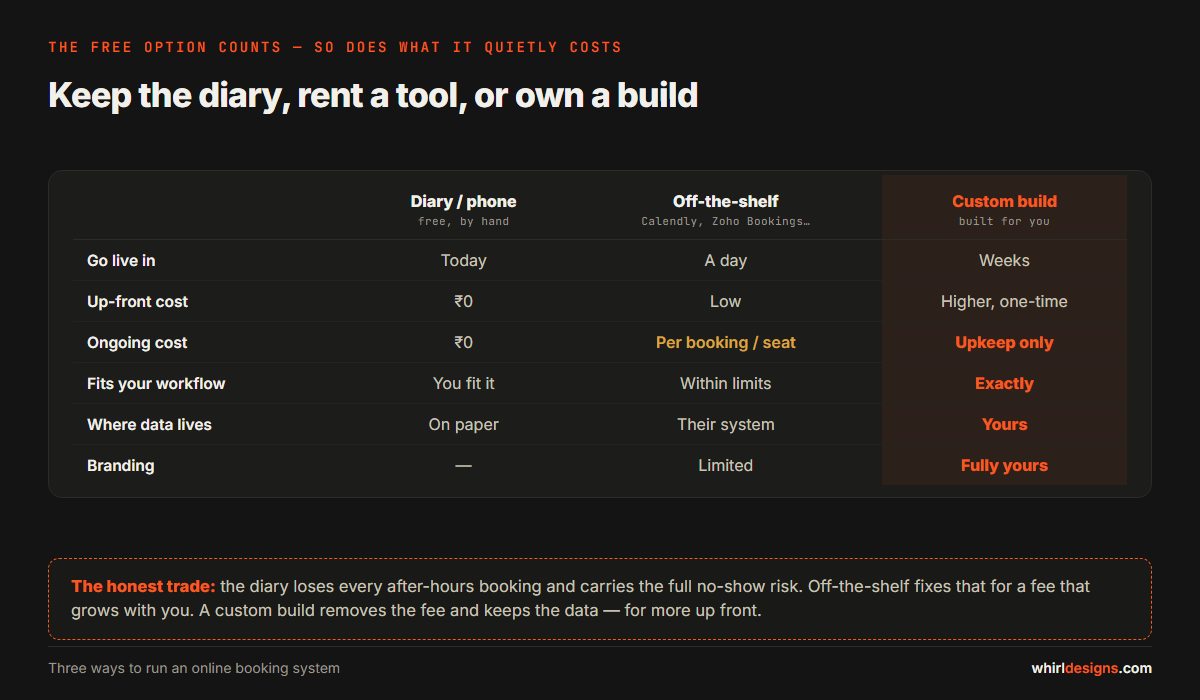
There are three ways to run bookings, and all three deserve an honest look — including the free one.
The diary, or the phone
Free, familiar, already working today — and its cost is invisible, which is why it is underrated. Every booking that would have happened at 9pm, on a Sunday, or while your line was engaged does not happen; the customer books the salon that answered. You carry the full no-show risk too, because nobody paid and nobody got a reminder.
An off-the-shelf tool
Calendly, Zoho Bookings, and a dozen like them. You can be live this afternoon for a low monthly fee, and for a standard need — one person, one service, pick a slot — they are genuinely good. The costs sit on the other side of the ledger: your workflow bends to fit theirs, you pay per booking or per staff seat so the bill grows as you do, your data lives in their system, and the booking page is theirs — your logo in a corner, their name on everything else.
A custom build
Software written for your rules, on your own website, storing your own data, with no per-booking fee ever. It fits the way you already work instead of asking you to change. The honest trade-offs are two: it costs more to start, and it is yours to maintain after it ships. For some businesses that is a worthwhile swap; for others, not yet — which the next two sections sort out.
When off-the-shelf is right, and when to go custom
Here is the rule we give people, and it has nothing to do with your size. Off-the-shelf is right when your booking is standard: one resource at a time — a chair, a doctor, a court — a tight budget, and rules a dropdown can express. Most salons and single-doctor clinics start here and never need to leave. There is no prize for building software you did not need.
Go custom when one or more of these is true:
- Your rules are unusual. A booking needs a staff member and a room and a piece of equipment at once — a physiotherapy slot needs the therapist, the cabin and the machine together. Off-the-shelf tools book one thing, and fall apart when a booking is really three.
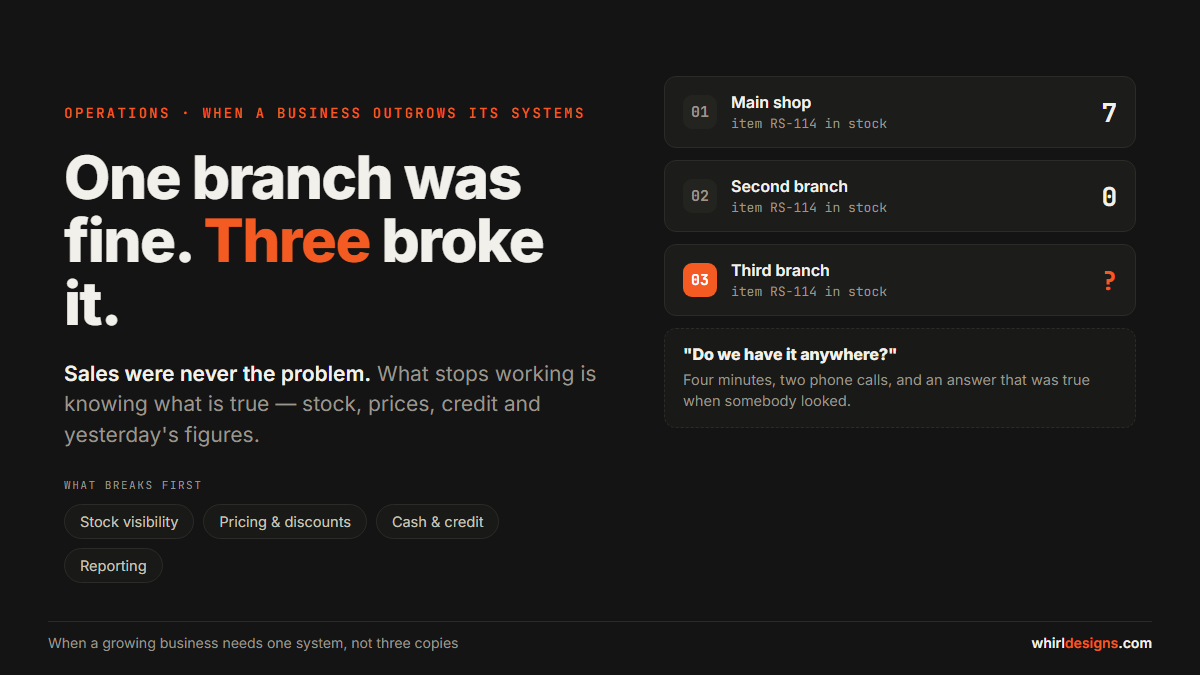
- You run more than one branch. Two salons, three clinics — you want one system that sees all of them and shows the right slot for the right location.
- You want booking inside your own website or app. Not a jump to a third-party page with someone else's name on it, but booking that is part of your brand.
- The monthly fees are catching up with a one-time build. More on this below — the most common trigger, and the easiest to measure.
- Data ownership matters. Your customer list is an asset, and some owners will not keep it in a system they cannot easily leave.
- It has to talk to your billing or ERP. A booking that should become an invoice, hold equipment, or land in the accounts you already run. Off-the-shelf tools rarely plug into the exact software you use.
What it costs
Off-the-shelf pricing is a monthly subscription, charged per staff member or by booking volume. Depending on your staff and how busy you are, it lands between a few hundred and a few thousand rupees a month. Cheap to start, and it never stops.
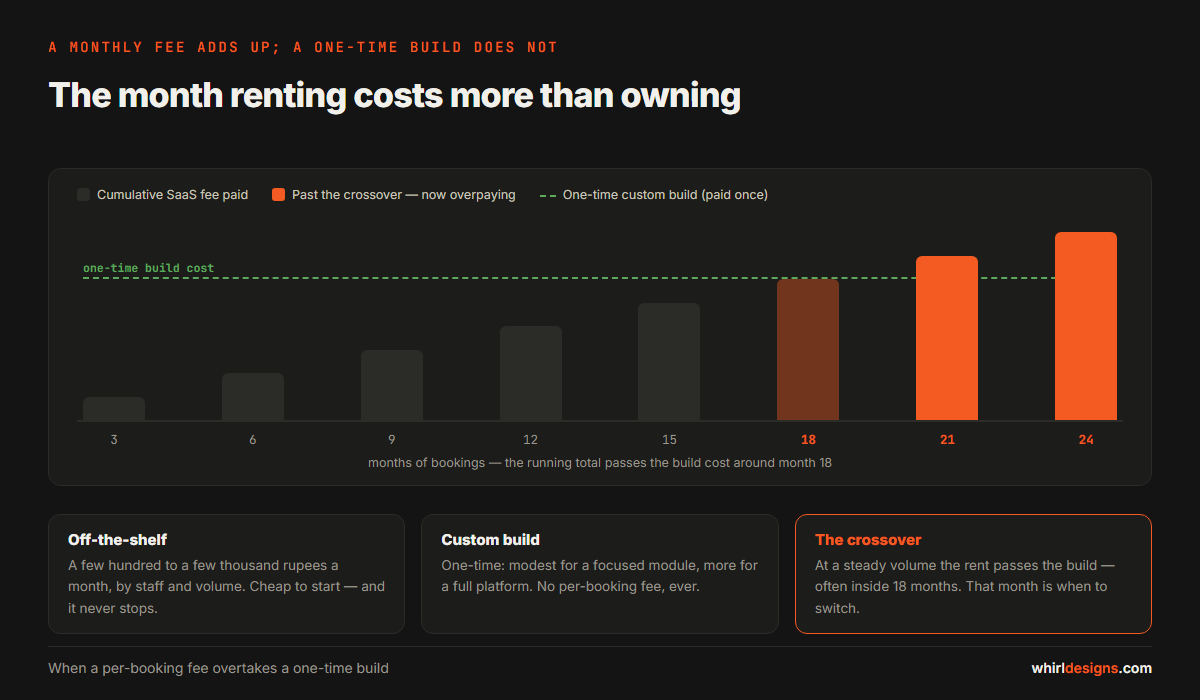
A custom booking module is a one-time build. A focused one — one business, standard rules, on your existing website — is modest. A full multi-resource, multi-branch platform with payments and its own admin is a much bigger piece of work, and costs accordingly. We go into real figures in what custom software costs; the range is wide because the word "booking" covers both ends.
The calculation that decides it is simple, and most people never do it. Take your steady monthly booking volume, multiply by the per-booking or per-seat fee, and project it across a year, then two. For a busy business, that total crosses the one-time cost of a custom build surprisingly fast — faster than most owners expect. The month it passes the build cost is the month you started overpaying to rent what you could have owned. That crossover is the whole decision.
The mistake almost everyone makes
The expensive mistake is not choosing wrong between buy and build. It is building or buying anything before you have written down your own rules. Software cannot guess them, and only a handful matter:
- Your resources. What actually gets booked — a person, a room, a machine, a vehicle — and whether one booking needs more than one of them at the same time.
- Your buffer time. The gap between bookings. A salon needs fifteen minutes to clean the chair; a doctor runs ten minutes long by habit. A system that books slots back to back is lying to you about your capacity.
- Your cancellation and deposit policy. Can a customer cancel free up to a day before? Do they lose the deposit inside that window? Write the rule down before the software enforces it.
- Who can override a booking. When a regular calls and wants the slot the system says is full, who may say yes — and does it leave a record?
Get these wrong and no tool, bought or built, will save you; you will rebuild. Get them written down and almost any tool will serve, because the hard part was never the software.
How a booking system actually stops double-bookings
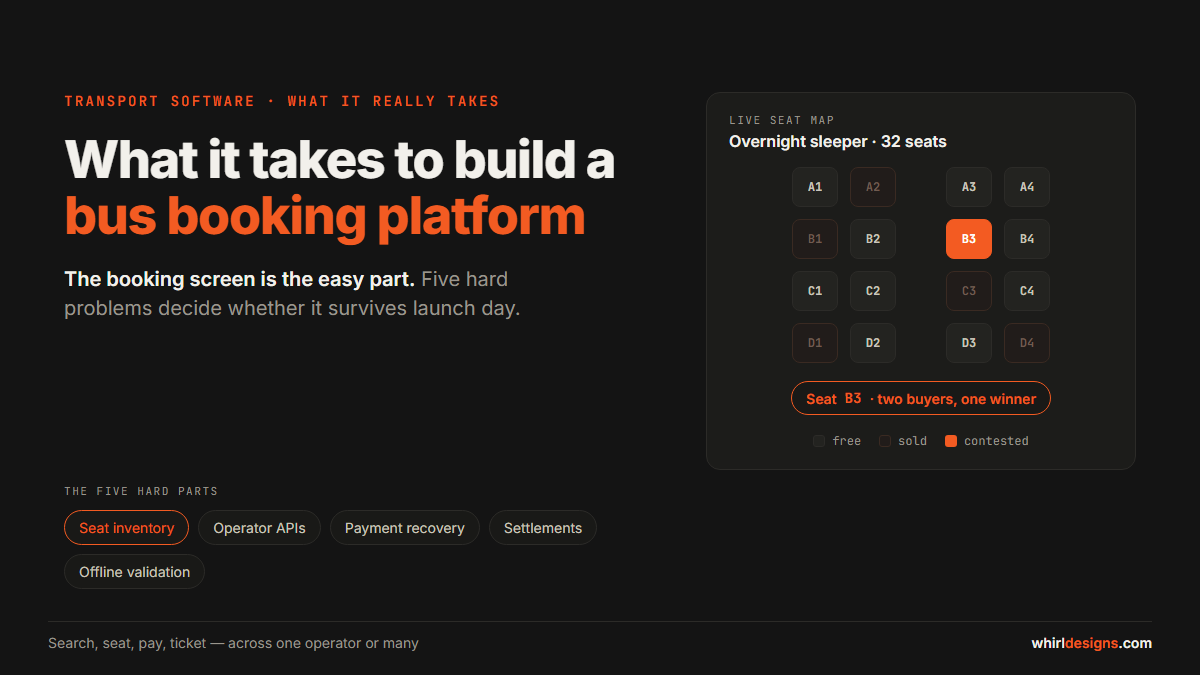
It is worth one honest paragraph, because people assume this part is easy. A real booking system does what a large platform does when it sells the last seat on a bus or the last room in a hotel. The moment a customer starts to take a slot, that slot is locked, and the booking is confirmed in a single, indivisible step — so when two people race for the last Saturday-evening slot, the system produces exactly one winner and tells the other, honestly, that it is gone. Anything less oversells. A tool that only usually avoids clashes, or collects requests you confirm by hand, has not solved the problem — it has moved it onto you. The question under all the others is simply: what happens when two people want the same slot at the same instant?
Common questions
Can I add online booking to my existing website?
Yes, and for most businesses that is the right place for it. Booking can live as a page or a widget inside the site you already have, so the customer never leaves your brand. An off-the-shelf tool embeds this way too, though it still runs on their servers; a custom build keeps it all inside your own site.
Will my customers actually use it?
The ones who were going to call at 9pm will. You keep the phone as well — online booking is an extra door, not a replacement for the old one. The younger and busier your customers, the faster they switch, and a reminder that saves a wasted trip wins over the rest quickly.
Off-the-shelf or custom — which is cheaper?
Off-the-shelf is cheaper to start, custom is cheaper to own, and the crossover depends on your volume. Low volume, stay off-the-shelf; high and steady volume, a one-time build usually wins inside a year or two. Do the multiplication in the costs section first — it is the only number that matters.
Does an online booking system reduce no-shows?
Yes, and it is the clearest win of the lot. Reminders cut the "I forgot" no-shows; a deposit cuts the casual ones, because money already on the table changes the decision to skip. Of everything a booking system does, this is the one owners tend to notice first.
Where to start
We build booking as a custom software development project when the rules are yours and the data has to stay yours, and as part of a larger web application development job when booking is one piece of a system that also bills, tracks stock, or runs across several branches. If what you need is closer to a full multi-operator booking platform — many providers, live seat maps, payments at scale — that is a bigger build again, and we have written about it separately.
Either way, the first step is free: write down your resources, your buffer time, and your cancellation rule on one page. Then tell us what you are booking and what the rules are, and we will tell you honestly whether you need a custom build at all — or whether a tool off the shelf will do for now.