Scripted releases on your hosting
Best for: One app, and one or two people changing it
- Stays on the shared hosting or server you have now
- Updates go live with one command, not files copied by hand
- Backups kept off the server, plus uptime alerts

DevOps & CI/CD · Udupi & Mangaluru
We set up how your software goes live and stays safe: checks that stop a bad update, a one-step way back, backups restored to prove they work, and alerts when it slows or stops. Made for small teams, and looked after from our Udupi studio.
In short
DevOps and CI/CD services set up how software is changed, released and kept running, so each update is checked before it goes live and can be undone. Backups are kept off the server and restored as a test, and alerts go out when the system slows or stops. Whirl Designs sets this up from Udupi, on the Karnataka coast, for small teams on shared hosting or one server.
Start here
DevOps is often sold as if every business ran like a large tech company. Most do not. Here are three sizes of setup, from the smallest one that works.
Best for: One app, and one or two people changing it
Best for: A team that changes the software every week
Best for: Heavy traffic, or many services working together
Most small teams fit the first option, and some grow into the second. The scripts from the first carry over when you move up.
Our work
ERP Sutra
Software products · Karnataka
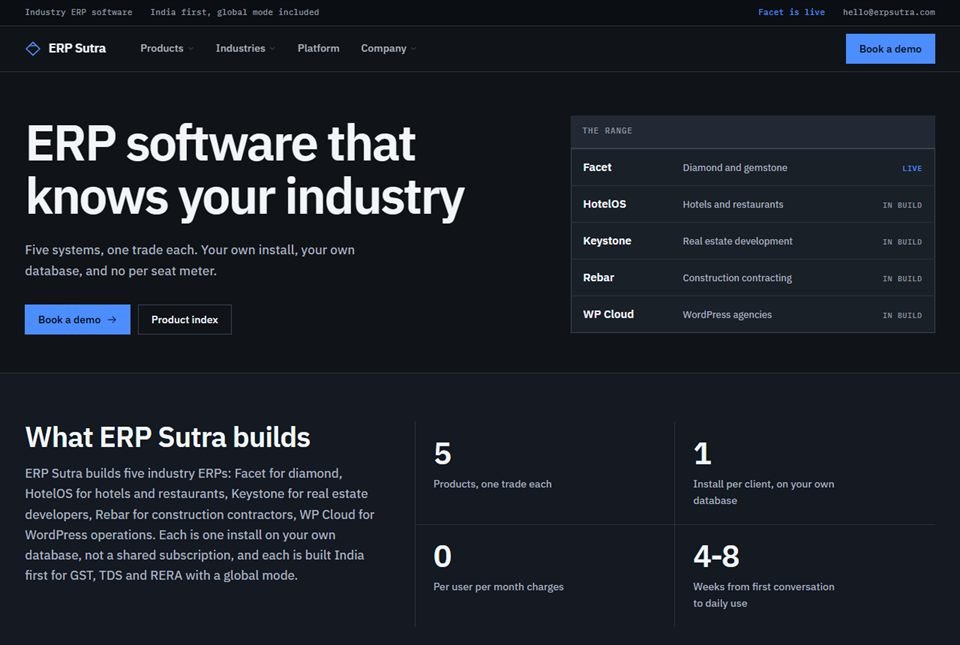
ERP Sutra is Whirl's own line of business software. Its industry ERPs are live with paying users, and they run on ordinary shared hosting, the kind many small business websites use, not on a fleet of servers. Nobody else answers for its backups, so they have to work.
Backup was built once, into the platform layer every product shares, next to sign-in, roles and the audit trail. The restore procedure has been drilled: the system has really been brought back from a backup, not just assumed to come back. Rebar, the construction ERP in the same family, backs up both its database and its files, with a checksum on each copy, and a full restore of it has been tested end to end. What we cannot show yet is a client's release pipeline, so the pipeline in the picture above runs on invented figures.
Also built by us
What you get
You agree each part before it is built, and each one comes with plain notes that whoever looks after your system next can follow.
How it runs
Nothing changes on your live system until the new way has been tried on a copy.
First comes a note of how changes go live today, where the code and backups sit, who holds which login, and what has gone wrong before. You get it as a short written map.
It lists what will be set up, in what order, and what is left out because you do not need it yet. You approve it before anyone touches the server.
Before any other change, a fresh backup of the database and files is taken and restored to a spare copy. Only then does the release process change.
The new release process runs against a staging copy of your system first. Your team pushes a few real changes through it, and anything that gets in their way is fixed.
Monitoring goes live and a test alert is sent to the right phones. You get the runbook, and every server, code and hosting login is moved into your business's name.
Restore drills on the agreed schedule, security updates, and pipeline changes as your software grows. When something needs a person, the people who set it up answer.
Not a fit
Some teams need less than this, and a few need more than one studio should promise.
Questions
Yes, in a small form. A team of one or two developers, or a business with no developer that runs its own billing system or ERP, gains the most, because one bad release or one lost server hurts a small firm more than a large one. The setup is small too: scripted releases, tested backups and uptime alerts, not a department of engineers.
A CI/CD pipeline is a fixed line of automatic steps that every code change passes through: it is built, tested and checked, then released to the live system only if everything passes. CI stands for continuous integration, the checking part. CD stands for continuous delivery or deployment, the releasing part. When a step fails, the release stops.
Yes, in most cases. The checks run on GitHub's servers using GitHub Actions, and the release is then copied to your host over SSH, a secure login to the server, or over FTP where that is all the host allows. You do not have to move to a cloud provider first. Shared hosting can carry serious software: our own ERP Sutra products serve paying users from it.
At least once a quarter for most business systems, and again after any big change to the server or the software. A restore test means bringing a backup up on a spare copy and checking that the data opens and the record counts match. The schedule is agreed with you, and you get a short note after each drill.
For one application, scripted releases, off-server backups with a restore test and uptime alerts usually take two to four weeks. A fuller setup, with a staging copy, automated tests and the server written down as code, usually takes four to eight weeks. The biggest factor is how many tests your software already has.
Yes. Many billing systems and websites outlive the developer who built them. We can visit you in Udupi, Manipal, Karkala, Kundapura or Mangaluru, see what is running and where, then add releases, backups and alerts around it without rewriting the software. If the code is missing or broken, you hear that first.
The previous version is put back in one step. It is kept ready for exactly that, and the fault is then found on a copy, not on the live system. Database changes need the most care, so a backup is taken just before each release and changes are written so that they can be undone.
DevOps sets up the ongoing routine for checking, releasing, backing up and watching changes, while the other three are narrower jobs. Maintenance keeps a website updated and looked after. Migration moves a working system to new hosting. A security audit looks for weak points at one moment. DevOps often sits underneath all three, and many businesses need only one, so you will hear which fits before anything starts.
Worth reading first
Clean, documented, tested code on a modern, proven stack — the foundation that keeps your devops & ci/cd fast and dependable for years.
Ready when you are
Tell us how updates reach your live system today and where your backups are kept, and we will map out a written plan that fits your setup.