Google's own reports
Best for: A small site with a few enquiries a week
- Search Console and Business Profile reports set up and read with you
- Nothing new added to your website
- Every new customer asked how they found you, and the answer noted

Analytics & conversion tracking · Udupi & Mangaluru
We set up Google Analytics to count what brings you work: calls, WhatsApp taps and enquiry forms, each with the page and source behind it. Our studio is in Udupi, and after setup we stay on, with a plain monthly report on your enquiries.
In short
Conversion tracking counts the actions on a website that show a visitor wants to buy: a tap on the call button, a tap on WhatsApp, an enquiry form sent. It also records which page and which source, such as Google search, Maps or Instagram, brought each one. Whirl Designs sets it up from its studio in Udupi, coastal Karnataka, in accounts that stay in the business's own name.
Start here
More tracking is not always better. The right amount depends on how many enquiries you get and whether you run ads. We will say plainly which one suits you.
Best for: A small site with a few enquiries a week
Best for: Businesses with several service or town pages
Best for: Businesses running Google or Meta ads
Start with the smallest card that answers your question. Each one builds on the one before, so moving up later loses nothing.
Our work
There are no before-and-after numbers on this page, because so far we have no client tracking project to share. Every figure in the demo report above is invented. The real work we can show was built around the one thing this service counts: the enquiry.
On a site like Padmavathi Tours & Travels, with 190 pages for its vehicles, routes and towns, knowing which page brought a call is the question tracking would answer. Our own site taught us the other half of the lesson. Its newsletter form once showed 306 subscribers, and not one was a person: bots had filled it in. The form is now protected against bots, and every sign-up must be confirmed by email. That is why we check that a count is made of people before anyone relies on it.
Closest projects
 Padmavathi Tours & Travels
Travel & transport · Udupi
A chauffeur-hire company with almost no online presence, rebuilt as a 190-page site that answers the exact searches its customers type — every vehicle, every route, every town.
Padmavathi Tours & Travels
Travel & transport · Udupi
A chauffeur-hire company with almost no online presence, rebuilt as a 190-page site that answers the exact searches its customers type — every vehicle, every route, every town.
 Avi's Events & Management
Events & weddings · Udupi
A wedding and event planner whose work is entirely visual, given a site that leads with photography and makes the enquiry the easiest thing on the page.
Avi's Events & Management
Events & weddings · Udupi
A wedding and event planner whose work is entirely visual, given a site that leads with photography and makes the enquiry the easiest thing on the page.
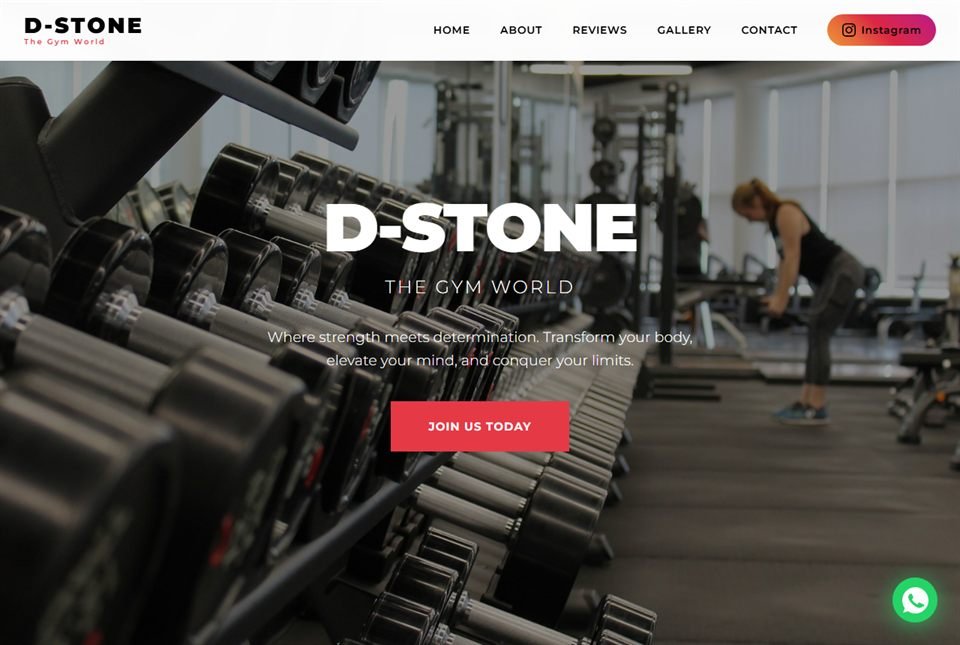 D-Stone — The Gym World
Fitness · Udupi
A gym site built to do one job — get somebody who is already half-decided to walk in and ask about membership.
D-Stone — The Gym World
Fitness · Udupi
A gym site built to do one job — get somebody who is already half-decided to walk in and ask about membership.
What you get
Small site or large, these six come with every setup, so you can follow each step from a first visit to an enquiry.
How it runs
Setting things up is the quick part. The checking that follows is what makes the numbers worth reading.
We check what your site already tracks, whether any enquiry is counted twice or not at all, and who holds each account. If the analytics sits in a former developer's email, getting it back into your name comes first.
Together we agree the tracking plan: which actions are enquiries, which sources to label, and which questions the report must answer. You sign it off before anything on your site changes.
Everything is set up in accounts in your name. Then every call button, WhatsApp link and form is tried on an ordinary Android phone, and each one has to appear in the live report before it is marked done.
For the first two to four weeks, the tracked count is compared with the calls, chats and forms your staff note down. Where the two differ, we find out why, fix what can be fixed and write down what cannot.
Your first monthly report comes after the first full month. We walk you through it once, so you can read it without us, and keep sending it for as long as it is useful to you.
Not a fit
Tracking is not always the next thing to do. These are the cases where we will say so.
Questions
It can count taps on your call and WhatsApp buttons, but not the call or the chat itself. Each tap is recorded with the page and source it came from, so you can see which pages make people get in touch. Whether the call connected, or what was said on WhatsApp, stays outside analytics, so a simple call log kept by staff fills that gap. Where exact call counts matter, a call-tracking number can be added.
Usually the setup is at fault, not your enquiries: the action was never marked as a key event, or the tracking does not load on the page where it happens. New key events can also take a day or two to appear in reports. When numbers do show but look wrong, the usual causes are forms counted twice or on a failed send, bots, staff tests and visitors who decline cookies. We find which it is before changing anything.
Not always. On a simple site with one form and a couple of buttons, the tracking can be built into the site itself. Tag Manager earns its place once you track many buttons, run Google or Meta ads, or change your site often, because new tracking can then be added without editing the website each time. We set it up only when it will save work later, and the account stays in your name.
Search Console shows what happens on Google before a visit, and Google Analytics shows what happens on your website after it. Search Console lists the searches that showed your pages and how many people clicked. Analytics shows which pages visitors read and whether they called, chatted or sent a form. You need both to see the whole path, so we set up and connect the two.
Setup and testing usually take one to two weeks for a typical business website, depending on how quickly we get access to your accounts. Then allow two to four weeks of checking the counts against your real enquiries before you rely on them. Sites with many pages, several forms or ads on two platforms sit at the longer end.
Usually, yes. If anyone with admin rights on the account can still be reached, they can give you full administrator access in a few minutes. Search Console can be claimed again by whoever controls the website, and your Business Profile has its own ownership request. If no admin can be found, we start a new analytics account in your name; the old history cannot be moved across, but tracking starts clean.
It depends on what your site collects, and the rules are getting stricter. The consent and notice rules in the DPDP Act, India's personal data law, take full effect in May 2027. Where your site needs a consent banner, we add one that visitors can say no to, and we suggest you confirm your own case with a lawyer.
Yes. We work from one studio in Udupi and travel to businesses in Manipal, Mangaluru, Karkala and Kundapura. Much of the useful work is sitting with the person who answers the phone, to see how enquiries really arrive: calls, WhatsApp, walk-ins. If you are further away, we go through your tracking and reports together on a video call.
Worth reading first
Ready when you are
Tell us how enquiries reach you now; we send back a clear, written plan of what to count and where each number will come from.