A mobile-friendly website
Best for: People who find you once, from Google or a link
- Nothing to install, nothing to learn
- Right for menus, catalogues and enquiry forms
- No home-screen icon and no offline screens

Progressive web apps · Udupi & Mangaluru
We build progressive web apps for billing, orders, stock and field work: one link puts the app on every staff phone, and it keeps going when the signal drops. Made in our Udupi studio by people who stay on to fix and update it.
In short
A progressive web app (PWA) is a website built to work like a phone app: people install it from a link, it opens full screen from the home screen, keeps working when the signal is weak, and updates without an app store. Whirl Designs, a studio in Udupi, makes them for businesses in coastal Karnataka and across India, often as staff tools for billing, orders and stock.
Start here
A PWA is only one way to reach the phones of your staff and customers. Here are all four, simplest first, and who each one suits.
Best for: People who find you once, from Google or a link
Best for: Staff tools, and customers who come back often
Best for: When people expect to search the store for you
Best for: Deep use of the phone, or users who are mostly on iPhone
For most staff tools the second card is the right start, and it wastes nothing: the third card is the same app with a store listing added.
Our work
Nityanand Agro
Agriculture & retail · Karnataka
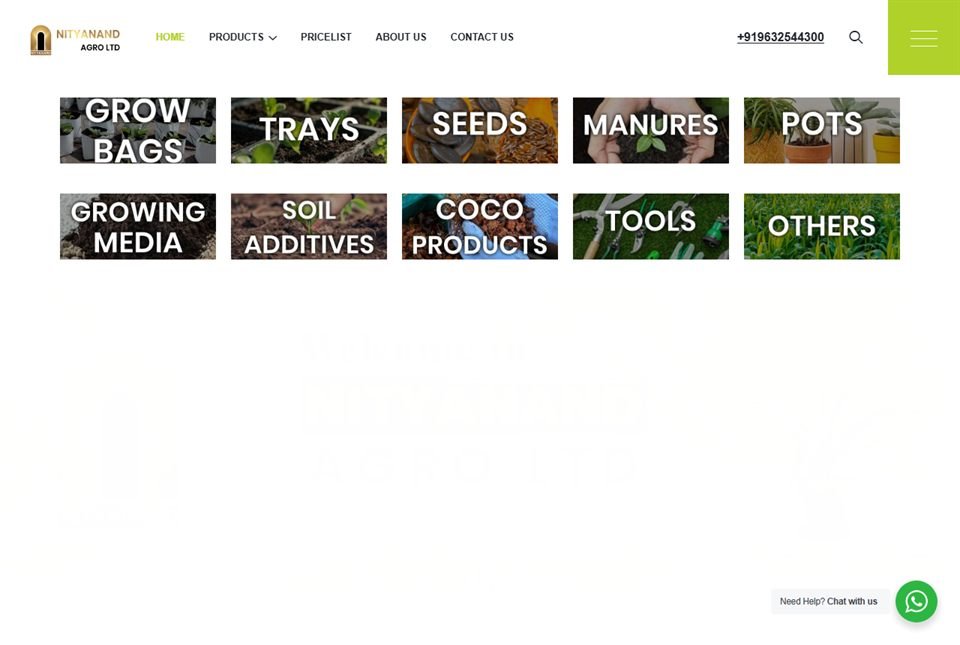
Nityanand Agro, an agri products business in Karnataka, has two sides on the web. Customers see a public catalogue website. Staff see the system they use to bill, check stock and run the working day, and it sits on their phones like any other app.
That system is a progressive web app. No app store was involved: staff installed it from the web onto their home screens, and it keeps the files it needs on the phone, so it copes with a rural connection that comes and goes. A Play Store version is now being prepared from the same code, so nothing has to be rewritten.
What you get
A PWA tends to go wrong in the same few places: the install, the offline screens, the sync, phone safety and updates that never arrive. Each one is planned with you, in writing, before building starts.
How it runs
You install and use the app on your own phone from the early weeks, not at the end.
We find out which phones your people carry and where the signal fails: the godown, the delivery route, the far end of the taluk. That decides which screens must work offline.
The plan lists each screen, who may use it and what it does with no signal, including what happens when two phones change the same record. Building starts once you sign it off.
Early in the build you get a link to install on your own phone. Each new version reaches it by itself, so you are always trying the latest one.
Before launch, the app is used in flight mode and on a weak connection, and saved entries are checked when the signal comes back. Faults show up here, before your staff depend on it.
Staff install it from one link. If you also want it on the Play Store, the same app is packaged and listed under your own account. The code, data and domain are yours.
Fixes and new screens go out as updates that reach every installed phone. When something is wrong, you call the people who built it.
Not a fit
Some jobs need a native app, a plain website or no new software at all. We will say so at the first meeting.
Questions
A native app is built separately for Android and iPhone and installed from the app stores, while a PWA is one web app that installs from a link and runs on both. For billing, orders, stock and approvals, a PWA does the job and is quicker to change. A native app is the better pick when the work needs the phone running in the background all day, or when an App Store listing matters to your customers.
Yes, for the screens you choose. The app's own files stay on the phone, so it opens with no signal, and entries such as orders or bills are saved and sent once the connection is back. Screens that need live data, such as a payment status, show a plain 'no connection' message instead of a blank page.
Yes, with some limits. iPhone has no install button: people open the link in Safari, tap Share, then Add to Home Screen. After that it opens full screen and, on recent iOS versions, can show notifications once the person allows them. Web apps on iPhone cannot connect to Bluetooth devices or read NFC tags, so we test each feature you need on an iPhone before we promise it.
Yes. The same web app is packaged as an Android app and listed under your own Google Play account, with no rewrite. The Android app needs a small file on your website that proves the app and the site have one owner, and Google asks for a privacy policy; we set up both. Apple's App Store is stricter and usually turns down an app that is only a website in a wrapper.
Often, yes, if the site already works well on a phone and runs on HTTPS, the secure web address. We add the app name and icon, the files it needs offline and the install option, then agree which pages should open with no signal. It stays a normal website, so Google can still read and rank its pages. If the site is slow or hard to use on a phone, that is fixed first.
Yes. Nityanand Agro's staff print receipts from their phones to a Bluetooth thermal printer. Barcodes can be read with the phone's own camera, or with a Bluetooth scanner that types straight into the app. On iPhone, printing needs a different route, because web apps there cannot use Bluetooth, so we test it on your printer before building.
A first working version usually takes four to eight weeks. Adding billing, stock, offline saving and sync makes it a job of a few months, delivered one part at a time, so staff are already using the first screens while later ones are being built. Quick answers on your side keep it moving.
Yes. We are based in Udupi and can come to your shop or godown in Manipal, Mangaluru, Karkala, Kundapura or Udupi itself, install the app on each staff phone with its owner and try the offline screens together. The app can run in Kannada as well as English, and we train staff using their own orders or bills.
Worth reading first
Clean, documented, tested code on a modern, proven stack — the foundation that keeps your progressive web apps (pwa) fast and dependable for years.
Ready when you are
Tell us who will use the app, on which phones, and where the signal drops. You get a clear, written plan back.