Booking & reservation systems · Udupi & Mangaluru

Direct bookings, with the advance already paid

We build booking systems for hotels, homestays, tour operators, clinics and salons: one live calendar, UPI advance and WhatsApp confirmation. Our studio is in Udupi, near enough to visit your front desk, and we stay with you after launch.

Demo screen with made-up data.
One live calendar
phone, walk-in and online bookings together
Held while they pay
dates released if the advance does not arrive
WhatsApp confirmation
sent by the system, in Kannada or English
In your name
code, guest data and payment account

In short

What is a booking and reservation system?

A booking and reservation system is software that shows which rooms, slots or seats are available and lets customers book them online. It holds the dates while the customer pays an advance, sends a confirmation, and puts phone, walk-in and online bookings in one calendar for staff. Whirl Designs, a studio in Udupi, builds them around each business's own rules across coastal Karnataka.

Updated · Whirl Designs, Udupi

Start here

Enquiry form, ready-made engine, or your own?

Online booking is only worth building when missed or muddled bookings are already losing you guests. These are the three usual setups, and who each one suits.

An enquiry form sent to your phone

Best for: A few bookings a week that you confirm yourself

  • The guest sends dates and a phone number; you call or message back
  • You are the calendar, so nothing has to be kept in step
  • Works on the website you already have
A ready-made booking engine

Best for: Standard rooms sold on several travel sites

  • A channel manager keeps one calendar across the travel sites
  • You can usually start within days
  • Your rules have to fit the product's settings

A booking system built for you

Best for: Rules that no ready-made product handles

  • Rooms, boat slots, tour seats, hall dates or vehicles, held your way
  • Advance, balance and refunds handled the way you take them today
  • Linked to your billing, WhatsApp and staff screens

When a ready-made engine fits your property, the plan we send says so, and we link it to your website rather than build a new one.

Our work

No live booking engine to show you yet

We have not yet built a booking system with a live calendar and online payment for a client, so there is no finished project of that kind on this page. The screens at the top are a demo with made-up data. What we can show is closely related work, running for real businesses in Udupi and Karkala.

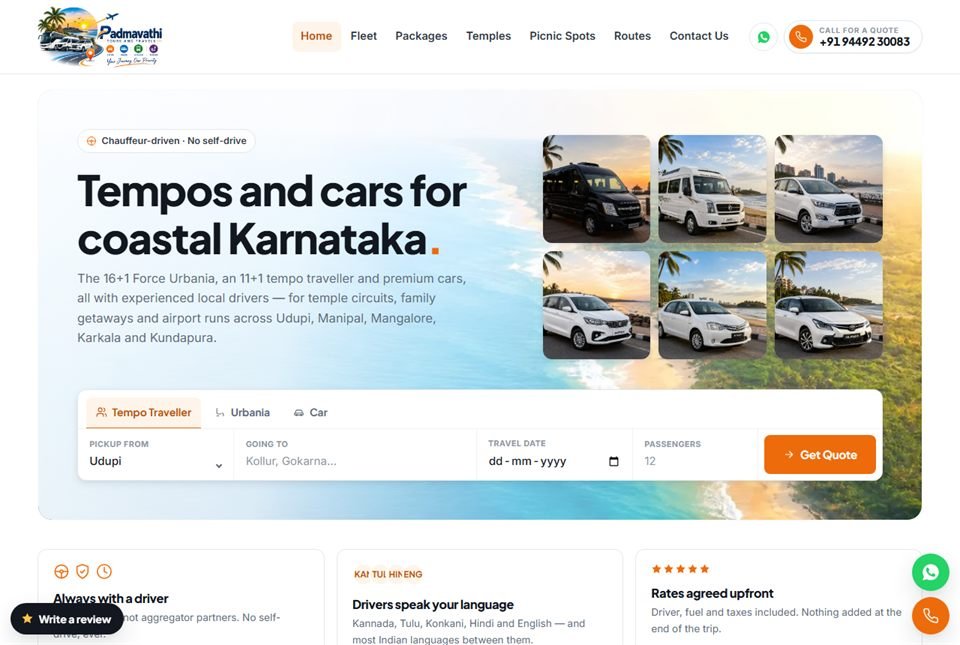
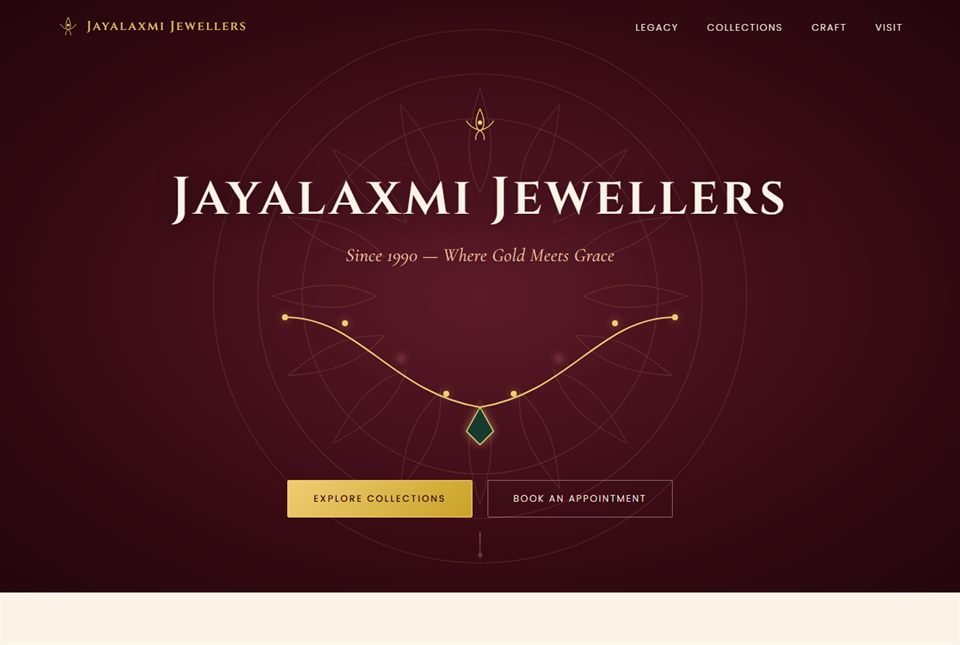
Padmavathi Tours & Travels, a chauffeur-hire company in Udupi, takes enquiries rather than bookings: its 190-page site answers the searches customers type for every vehicle, route and town, and each enquiry sends an instant alert to the owner's phone. Jayalaxmi Jewellers in Karkala has appointment booking on its brand website, and its separate retail system sends receipts and reminders on WhatsApp from approved message templates, the same kind of message a booking confirmation uses.

  • Padmavathi Tours: route and fleet pages generated from one data file, the way rooms or tours would be listed
  • Padmavathi Tours: structured data for vehicles, trips and FAQs
  • Jayalaxmi Jewellers: capability-based staff permissions, the same kind of control that decides who may change or refund a booking

Closest projects

What you get

What goes into every booking system

Six parts, each written into the plan with your own rules before any work begins.

  1. One calendar for every unitEach room, cottage, boat slot, tour seat or vehicle has one calendar. Phone, walk-in, WhatsApp and website bookings all land on it, so two staff cannot promise the same room.
  2. A hold while the guest paysWhen a guest starts to book, the dates are held for a few minutes. If the advance does not come through, they are released on their own, so two guests cannot both pay for the last room.
  3. Your rules, not a template'sMinimum stays, check-in times, weekend and festival-season tariffs, group sizes, dates you close, and your cancellation terms. You set them once, and every booking follows them.
  4. Advance paid into your accountUPI first, cards where guests want them, through a payment gateway registered in your business's name. The money goes to your bank, and each payment is matched to its booking.
  5. A confirmation guests readA WhatsApp message with the booking number, dates and a map pin goes out the moment the advance arrives, in Kannada or English as the guest chose. An email or SMS copy follows, and a reminder the day before arrival.
  6. A front-desk screen and reportsToday's arrivals and departures, rooms on hold, who has paid and what balance is due, on the desk computer and the owner's phone, with a login per role. GST invoices come from the same record, and reports show where each booking came from and how full you were.

How it runs

How a booking system gets built

Your staff use the calendar before any guest does, so mistakes turn up at your own desk, not on a busy weekend.

  1. Walk us through a busy weekend

    How do bookings reach you today: calls, WhatsApp, walk-ins, travel sites? Who writes them down, and where? We look for the moment two people can promise the same room.

  2. Every rule, written down

    Units, holds, advance, cancellations, who can change a booking and who can refund one. Nothing is built until you sign off that plan, and the payment gateway and WhatsApp template approvals are started the same week, because they take time.

  3. Staff use the calendar first

    The inside calendar goes live for your front desk before any guest sees a booking page. Phone and walk-in bookings go into it for a few weeks, and the rules get corrected on real bookings.

  4. Open booking to guests

    The booking page goes onto your website, and a Book link onto your Google Business Profile and Instagram, with payments in test mode first, then live. We try it on an ordinary Android phone on mobile data, because that is how many guests will book.

  5. Stay on through the first season

    The first long weekends are watched together with you, and holds or rules that do not fit are adjusted. Backups, updates and fixes stay with the people who built it, and you call them directly.

Not a fit

When a booking system is not the answer

  • Your front desk will keep the paper register anyway. Two calendars nobody trusts are worse than one register everyone uses.
  • You want the system to bring in guests. A booking page serves people who have already decided to stay; being found is the work of your Google Business Profile, travel listings and reviews.
  • You want to sell other people's hotels, flights or buses as a travel portal. That needs supplier contracts and connections we do not build.
  • It has to take payments before this weekend. Anything that takes guests' money needs testing with real payments first.

5.0 on Google — read our reviews

Questions

Questions about online booking

What is the difference between a booking engine, a channel manager and an OTA?

A booking engine is the booking page on your own website, where guests pick dates and pay you directly. An OTA (online travel agent) is a travel site such as Booking.com or MakeMyTrip that sells your rooms to its own visitors. A channel manager sits between them and keeps one room count across every travel site and your own page.

Will a booking system replace Booking.com or MakeMyTrip?

No, and it should not try. Travel sites are good at bringing you guests who have never heard of you. Your own booking page is for guests who searched your name, came back for a second stay or were sent by a friend, so the booking and the guest's phone number stay with you instead of a platform.

Can it stop double bookings with Airbnb and Booking.com?

Partly, and it helps to know why. Travel sites share calendars through a calendar link (iCal) that can take anywhere from an hour to a day to refresh, so a small gap remains. Your own bookings block dates at once, and the travel sites pick them up on their next refresh. With many rooms on many sites, a channel manager that connects directly is safer, and we check whether your booking page can link to it before promising that.

Can guests pay only an advance?

Yes. You choose a fixed advance, a share of the stay, the full amount, or nothing online and payment at the property. Whatever is still owed is recorded against the booking and shown to the front desk at check-in, so nobody has to work it out from old messages.

What happens when a guest cancels or changes dates?

Your cancellation terms decide it. The system checks how many days are left before arrival, works out how much of the advance goes back, opens the dates again at once and records the refund against the booking. Refunds made through the payment gateway usually return to the way the guest paid. A date change moves the booking and its advance to the new dates, if they are open.

Does it work for tours, boats, halls and appointments, not just rooms?

Yes. Anything you offer in limited numbers for a set time works the same way: a seat on a tour departure, a slot on a boat trip, a wedding hall on an auspicious muhurtha date, a table, or a consultation. The calendar simply counts nights, slots or seats instead of rooms.

How long does a booking system take to build?

Your front desk can usually start using the calendar within four to six weeks. Online booking with advance payment and WhatsApp confirmation typically takes two to four months in all, depending on how many kinds of room or slot you have, how many rules they carry, and how quickly the payment gateway and WhatsApp approvals come through.

Can you visit our property to plan it?

Yes. Our studio is in Udupi, and for businesses in Udupi, Manipal, Mangaluru, Karkala and Kundapura we come and sit with your front desk for part of a busy day. Seeing the register, the phone and the WhatsApp chats tells us more than any form. Properties further away plan it with us over video calls.

Worth reading first

SOFTWARE DEVELOPMENT

Engineering you can build on.

Clean, documented, tested code on a modern, proven stack — the foundation that keeps your booking & reservation systems fast and dependable for years.

PHP 8MariaDBRazorpayUPIWhatsApp Business APIResponsivePHP 8MariaDBRazorpayUPIWhatsApp Business APIResponsivePHP 8MariaDBRazorpayUPIWhatsApp Business APIResponsivePHP 8MariaDBRazorpayUPIWhatsApp Business APIResponsivePHP 8MariaDBRazorpayUPIWhatsApp Business APIResponsivePHP 8MariaDBRazorpayUPIWhatsApp Business APIResponsivePHP 8MariaDBRazorpayUPIWhatsApp Business APIResponsivePHP 8MariaDBRazorpayUPIWhatsApp Business APIResponsive
components/Dashboard.tsx
export default function Dashboard() { const { data } = useQuery("/api/stats"); return <Chart data={data} />; } ✓ rendered in 42ms

Ready when you are

Let's build something that lasts.

Tell us how bookings reach you now, by phone, WhatsApp, walk-in or a travel site, and you will get a clear, written plan back.

50+
projects shipped for local & global clients_
100%
of the code is yours to keep_
9
real, live projects on our work page — from our Udupi studio_
Whirl Designs assistantAnswers from this site · not a person
Ask about what the studio builds, how a project runs, or what would suit your business. I answer from this site, and I can pass you to the team any time.
WhatsApp us