The government's own portal
Best for: A few business invoices a month
- Staff key in each invoice on the portal or its offline tool
- Nothing to build and nothing to look after
- Every bill is typed twice, so mistakes creep in

Payments & GST e-invoicing · Udupi & Mangaluru
We link your billing or ERP software to the GST e-invoice portal and a payment gateway, so each business bill gets its IRN as it is saved and each UPI or card payment finds its invoice. Built in Udupi, looked after by the same people.
In short
Payment gateway and GST e-invoicing integration connects your billing software to two outside systems. The government's invoice portal gives each business invoice an invoice reference number (IRN) and a signed QR code. The payment gateway takes UPI and card payments and reports each one back to the right bill. Whirl Designs, a software studio in Udupi, builds both connections into billing and ERP systems for businesses along the coast.
Start here
Once your turnover crosses the limit, every bill to another GST-registered business must be e-invoiced. That does not always mean new software. Pick the simplest of these three that covers the way you bill.
Best for: A few business invoices a month
Best for: Every bill is already made in Tally or similar
Best for: Your own billing, ERP or online store
Payments work the same way: a UPI QR code at the counter needs nothing built. A gateway connection earns its place when customers pay online or by link.
Our work
Facet — Diamond & Jewellery ERP
Manufacturing ERP · Private system
Facet is part of ERP Sutra, the product arm we run ourselves, and it is made for diamond and jewellery manufacturers. It follows each lot from the rough stone to the finished piece, and it keeps account of what karigars, the craftsmen, take out for work, bring back and lose as wastage. It is private and sits behind a login, so this page describes it in words.
Its GST e-invoices are registered through ClearTax. Every registered bill carries its IRN and a signed QR code. We wrote the encoder that draws that code ourselves. That is the e-invoicing half of this page. We have not yet built a payment gateway project we can show you, so for that half you watch the whole flow run on the gateway's test account before any real money moves.
Also built by us
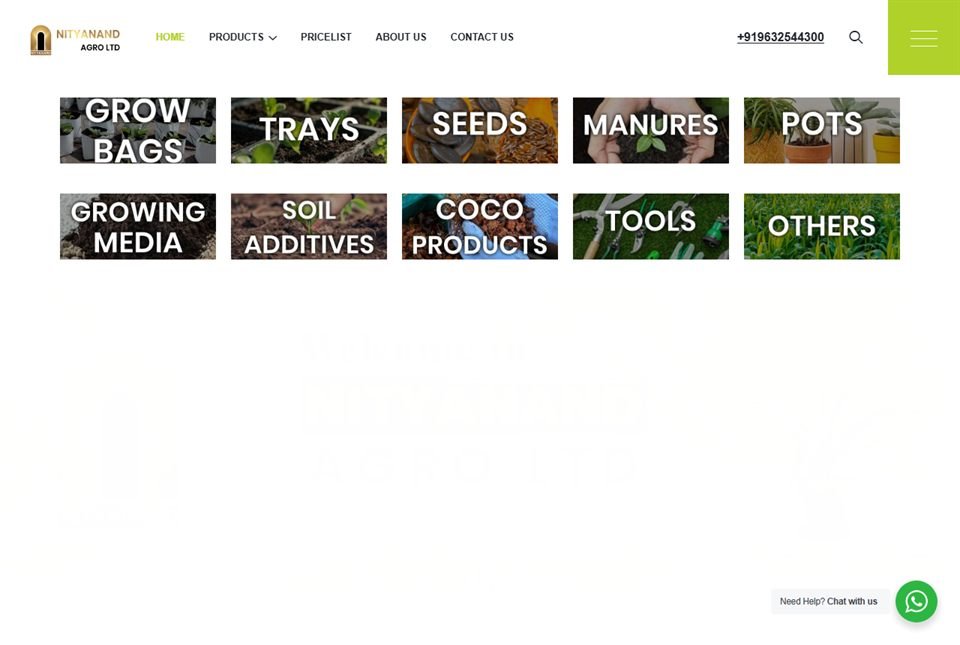 Nityanand Agro
Agriculture & retail · Karnataka
A public catalogue for an agri-products business, plus the internal CRM its staff run the day on — installed on their phones as an app, working over patchy rural signal.
Nityanand Agro
Agriculture & retail · Karnataka
A public catalogue for an agri-products business, plus the internal CRM its staff run the day on — installed on their phones as an app, working over patchy rural signal.
 Jayalaxmi Jewellers
Retail jewellery · Karkala
A brand site for a gold house trading since 1990, built to feel like the shop it represents — and backed by a full retail ERP handling billing, savings schemes and old-gold exchange.
Jayalaxmi Jewellers
Retail jewellery · Karkala
A brand site for a gold house trading since 1990, built to feel like the shop it represents — and backed by a full retail ERP handling billing, savings schemes and old-gold exchange.
What you get
The awkward cases, such as a portal outage or a part refund, are where connections usually break. Each of them is planned for from the start, not patched in later.
How it runs
Nothing touches a real invoice or a real payment until every case has passed on the test systems.
First we look at your bills: which buyers are businesses, which bills need an e-invoice, and how customers pay, whether that is UPI at the counter, a payment link on WhatsApp, an online checkout or a bank transfer.
Your business applies for the gateway's merchant account and the e-invoice login your software will use, both under your own GSTIN. We help with the KYC papers and forms, and our logins are added as developers, never as owners.
The gateway and the e-invoice system both have test versions, called sandboxes. A normal bill, a wrong GSTIN, a portal timeout, a cancellation, a UPI payment stuck on pending, a customer who taps Pay twice, a part refund: each one is run there and written down.
E-invoice details flow into your GSTR-1 return, so your accountant reviews sample invoices, credit notes and reports before go-live. What the software sends has to match what you file.
Going live starts with one counter or one branch. We watch the first real invoices and payments with you, then switch on the rest.
When the portal changes its format, GST rules move or the gateway updates its checkout, the people who built your connection make the change and test it again.
Not a fit
Each of these is a reason to wait, or to take a simpler route.
Questions
It is mandatory once your aggregate turnover has crossed five crore rupees in any financial year since 2017-18, and it stays mandatory even if turnover falls later. It covers invoices, credit notes and debit notes to GST-registered buyers and exports, not bills to ordinary customers. A few kinds of business, such as banks, insurers and SEZ units, are left out. Confirm your own position with your CA.
Yes, for larger businesses. Since April 2025, if your aggregate turnover is ten crore rupees or more, each invoice, credit note and debit note must reach the portal within 30 days of its date, or the portal refuses it and no IRN is made. That is why we build e-invoicing to run when the bill is saved, never as a month-end job.
It can be cancelled within 24 hours, but it can never be edited. If an e-way bill was made from it, that e-way bill has to be cancelled first. After 24 hours, a mistake is put right with a credit or debit note, which is reported to the portal too. A cancelled invoice number cannot be used again, so the corrected bill gets a fresh number.
The bill is saved as waiting and sent again automatically until the portal answers. Until its IRN and QR code come back, it does not print as a registered e-invoice. Staff see every waiting bill on one screen and can print each one as soon as it clears, so a buyer never receives an invoice that only looks registered.
Yes for your own billing software, and for Tally there is usually nothing to add. TallyPrime has e-invoicing built in, so we help you switch it on there. In your own billing software, ERP or online store, the connection goes inside it, provided its code can be changed. For a closed product, we first check what its maker allows before promising anything.
Choose one that handles UPI well, pays into your bank quickly and suits how your customers pay. Razorpay, PayU, PhonePe and the gateways that banks run all suit most Indian businesses. We look at your payment methods, refunds and any repeat payments, such as UPI AutoPay, then set up the gateway you pick, with the merchant account in your business's name.
Plan on three to six weeks for e-invoicing inside software we can change, including the test runs and your CA's check. A payment gateway with matching and refunds needs about as long, and the two can be built side by side. Old software with no clean way in takes longer; you will know that after our first look, not halfway through.
Yes, we come to you. From the studio in Udupi we travel to businesses in Mangaluru, Manipal, Karkala and Kundapura, as well as around Udupi, to see how billing and payments really happen at the counter and in accounts. Screens and staff guides can be in Kannada or English, and your CA is welcome to join the meetings.
Worth reading first
Clean, documented, tested code on a modern, proven stack — the foundation that keeps your payments & gst e-invoicing integration fast and dependable for years.
Ready when you are
Show us a sample bill and tell us how customers pay you, and we will write up a clear plan for both connections, step by step, before anything is built.